> ## Documentation Index
> Fetch the complete documentation index at: https://docs.gumstack.com/llms.txt
> Use this file to discover all available pages before exploring further.
# Deploying
> Push to deploy and view logs
Gumstack handles deployment automatically—just push your code and your server goes live. No infrastructure to manage, no containers to configure.
## Deploy
Every push to `main` triggers a new deployment. Gumstack builds your server, runs tests, and deploys it to production.
```bash theme={"dark"}
git add .
git commit -m "Update tools"
git push
```
Or deploy manually from the **Deployments** tab by selecting a commit and clicking **Deploy**.
## View Build Logs
If a deployment fails, build logs are your first stop for debugging. They show the Docker build process and any errors that occurred.
Go to **Deployments** tab, click on a deployment, then open **Logs > Build Logs**.
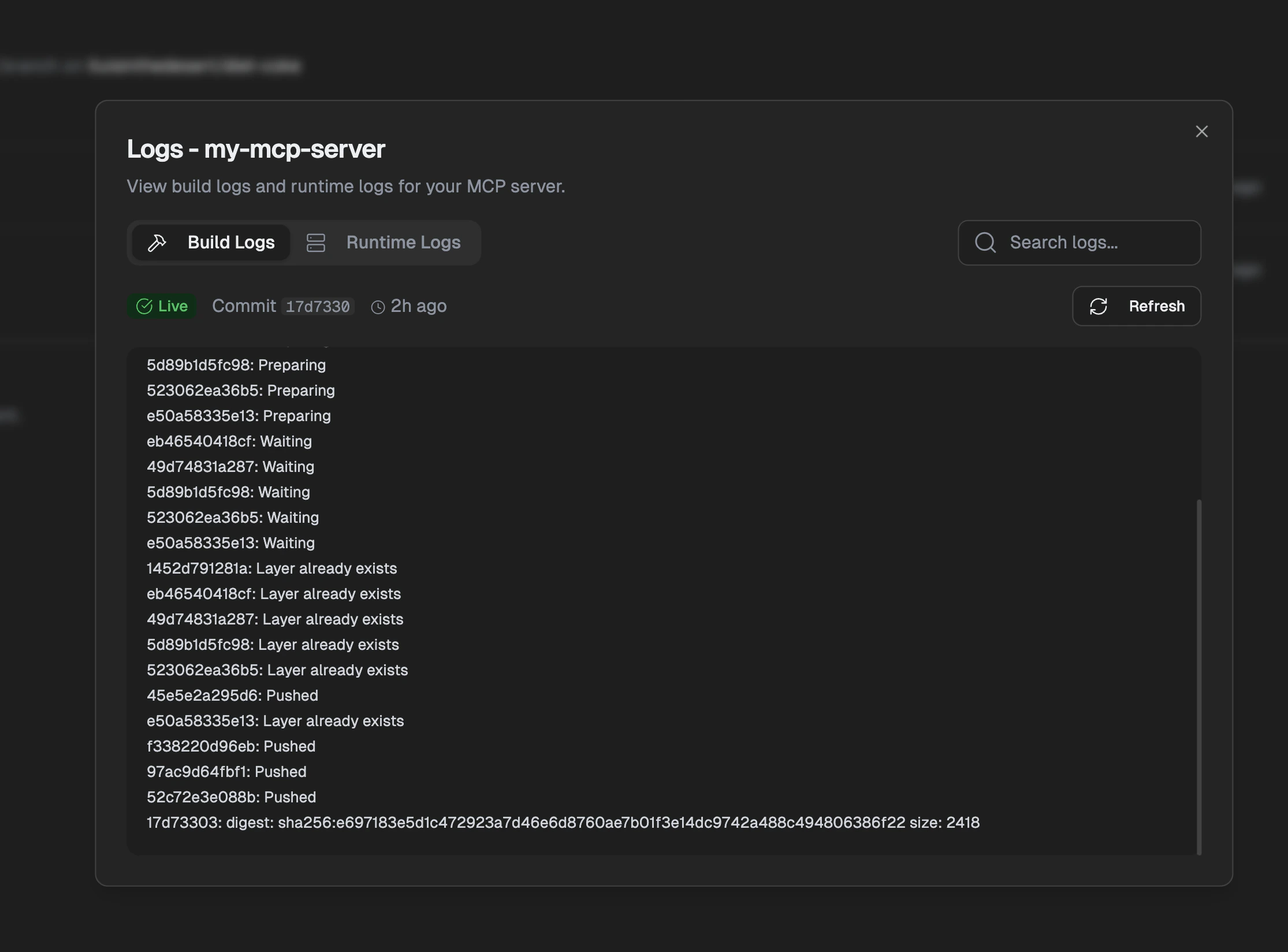 Build logs show Docker image preparation and push progress. Check here if your deployment fails.
## View Runtime Logs
Runtime logs show what your server is doing in production—incoming requests, responses, and any errors your tools throw.
Go to **Deployments** tab, click **Logs > Runtime Logs**.
Build logs show Docker image preparation and push progress. Check here if your deployment fails.
## View Runtime Logs
Runtime logs show what your server is doing in production—incoming requests, responses, and any errors your tools throw.
Go to **Deployments** tab, click **Logs > Runtime Logs**.
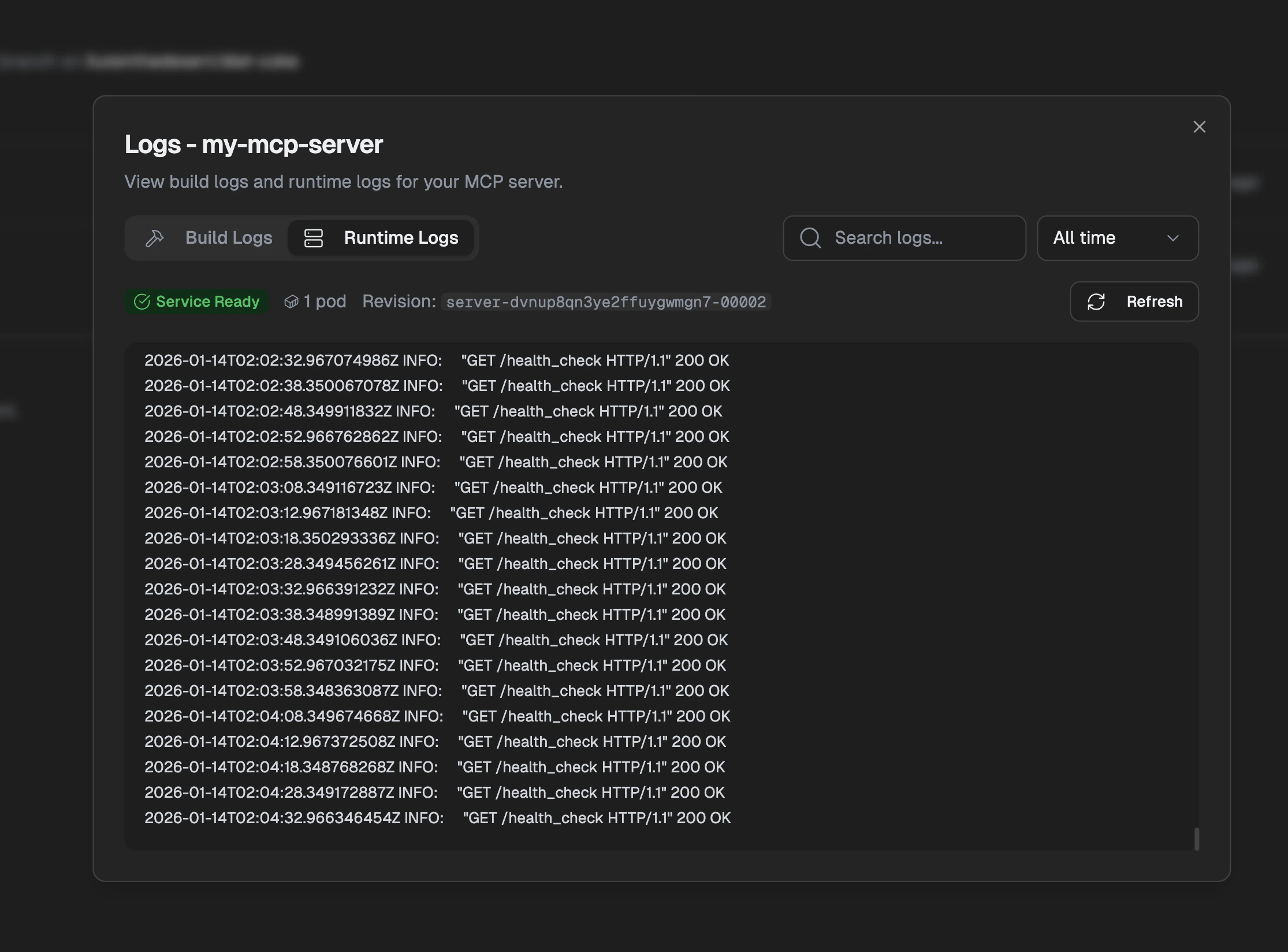 Runtime logs show your server's output including requests and errors. Use the time filter and search to find specific logs.
## Scaling
You don't need to think about scaling—Gumstack handles it automatically. Your server scales up when traffic increases and scales down when it's quiet.
Default configuration:
* **Auto-scaling**: Scales from 0 to handle traffic spikes
* **Cold start**: \~2-5 seconds when scaling from zero
* **Compute**: Shared resources suitable for most workloads
For custom scaling limits, dedicated resources, or high-throughput requirements, contact your Gumloop account team.
## Environment Variables
Store secrets and configuration in the Gumstack dashboard rather than in your code. These are securely injected into your server at runtime.
Add them under **Settings > Environment Variables**. Use environment variables for:
* **OAuth credentials** — Client IDs and secrets for OAuth providers
* **Internal API keys** — Keys you provide that users don't need to enter
* **Service configuration** — URLs, feature flags, thresholds
Never hardcode secrets in your code. Use `os.environ.get("CLIENT_SECRET")`
instead of `CLIENT_SECRET = "sk-..."`.
Reserved prefixes that will be rejected: - `GUMLOOP_*` - `GUMSTACK_*`
Runtime logs show your server's output including requests and errors. Use the time filter and search to find specific logs.
## Scaling
You don't need to think about scaling—Gumstack handles it automatically. Your server scales up when traffic increases and scales down when it's quiet.
Default configuration:
* **Auto-scaling**: Scales from 0 to handle traffic spikes
* **Cold start**: \~2-5 seconds when scaling from zero
* **Compute**: Shared resources suitable for most workloads
For custom scaling limits, dedicated resources, or high-throughput requirements, contact your Gumloop account team.
## Environment Variables
Store secrets and configuration in the Gumstack dashboard rather than in your code. These are securely injected into your server at runtime.
Add them under **Settings > Environment Variables**. Use environment variables for:
* **OAuth credentials** — Client IDs and secrets for OAuth providers
* **Internal API keys** — Keys you provide that users don't need to enter
* **Service configuration** — URLs, feature flags, thresholds
Never hardcode secrets in your code. Use `os.environ.get("CLIENT_SECRET")`
instead of `CLIENT_SECRET = "sk-..."`.
Reserved prefixes that will be rejected: - `GUMLOOP_*` - `GUMSTACK_*`