> ## Documentation Index
> Fetch the complete documentation index at: https://docs.gumstack.com/llms.txt
> Use this file to discover all available pages before exploring further.
# guMCP Servers
> Pre-built MCP integrations managed by Gumloop
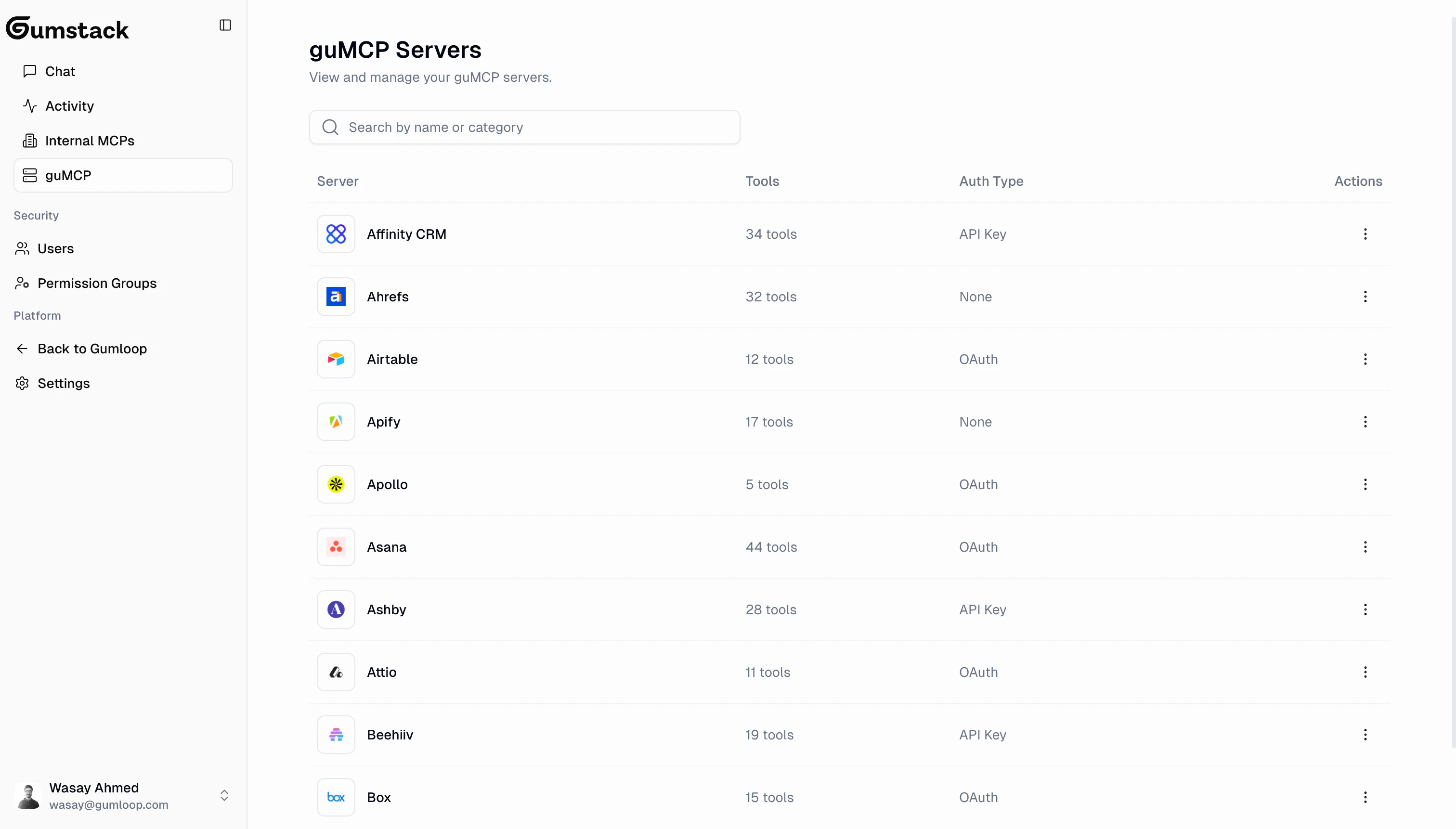
guMCP servers are pre-built, managed MCP integrations for popular tools and services. They're maintained by Gumloop and ready to use out of the box, no code or deployment required.
 ## Browsing servers
The guMCP page shows a searchable table of all available integrations. Each server lists its **name** and **category** (e.g., CRM, Analytics, Development, Communication). New servers are added regularly.
Some servers have credential requirements:
* **Required credentials**: Secrets the user must provide to authenticate (e.g., API key)
* **Optional credentials**: Additional credentials that unlock extra functionality
## Server detail
Click any guMCP server to see its detail page with **3 tabs**: Overview, Activity, and Tools & Access.
guMCP servers don't have Deployments or Settings tabs since they're fully managed by Gumloop. You only configure tool-level access for your organization.
### Overview
## Browsing servers
The guMCP page shows a searchable table of all available integrations. Each server lists its **name** and **category** (e.g., CRM, Analytics, Development, Communication). New servers are added regularly.
Some servers have credential requirements:
* **Required credentials**: Secrets the user must provide to authenticate (e.g., API key)
* **Optional credentials**: Additional credentials that unlock extra functionality
## Server detail
Click any guMCP server to see its detail page with **3 tabs**: Overview, Activity, and Tools & Access.
guMCP servers don't have Deployments or Settings tabs since they're fully managed by Gumloop. You only configure tool-level access for your organization.
### Overview
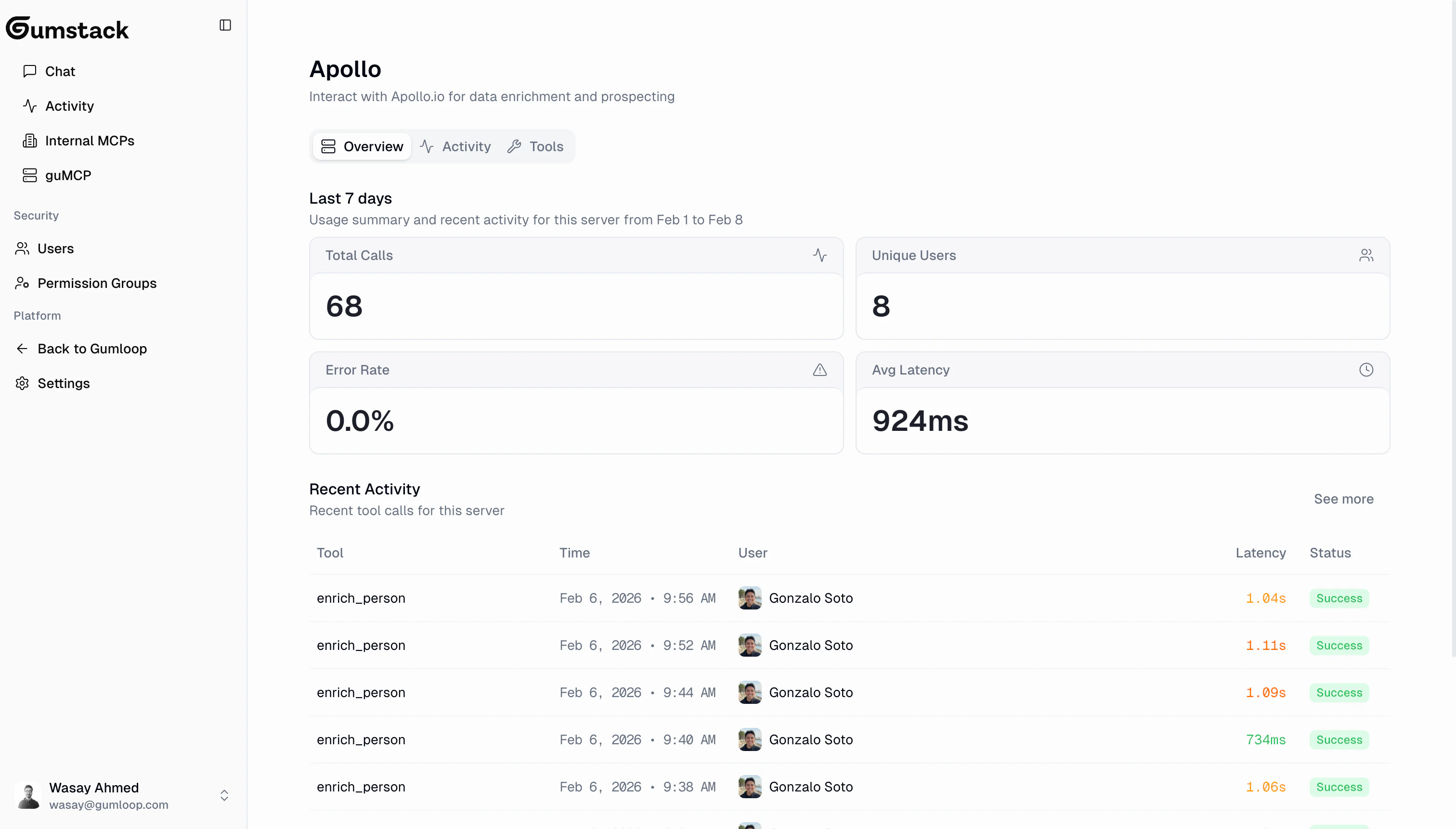 The overview shows 4 stat cards (7-day data): Total Calls, Unique Users, Error Rate, and Avg Latency, followed by the 10 most recent tool calls with expandable rows for input/output details.
### Activity
The overview shows 4 stat cards (7-day data): Total Calls, Unique Users, Error Rate, and Avg Latency, followed by the 10 most recent tool calls with expandable rows for input/output details.
### Activity
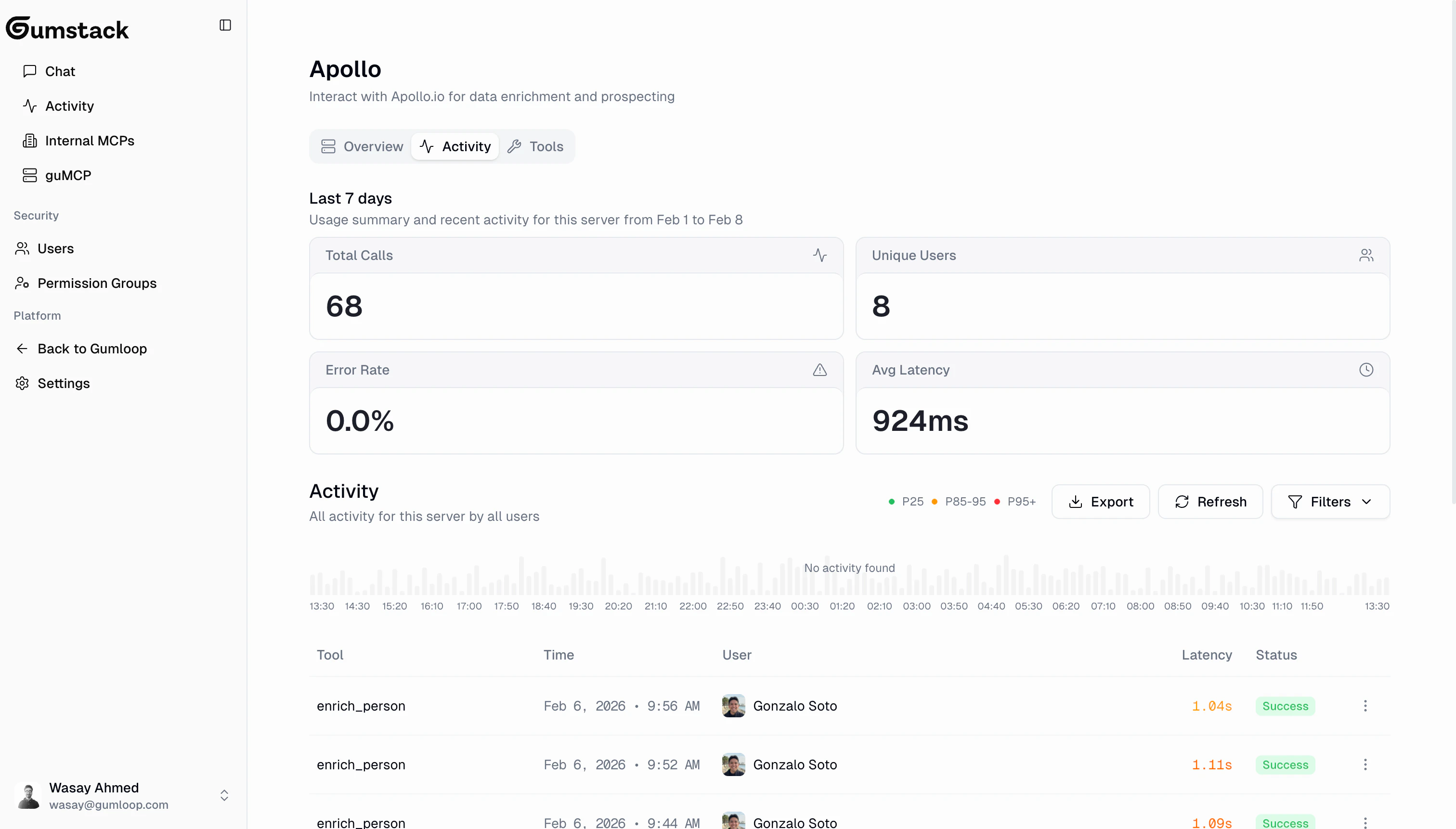 Server-scoped activity log with histogram (stacked by status), full tool call table with expandable rows, filters (Status, Tool, User, Date Range), and CSV export. Same interface as the [global Activity page](/platform/activity).
### Tools & Access
Control which [permission groups](/platform/permission-groups) can use which tools on this server.
Server-scoped activity log with histogram (stacked by status), full tool call table with expandable rows, filters (Status, Tool, User, Date Range), and CSV export. Same interface as the [global Activity page](/platform/activity).
### Tools & Access
Control which [permission groups](/platform/permission-groups) can use which tools on this server.
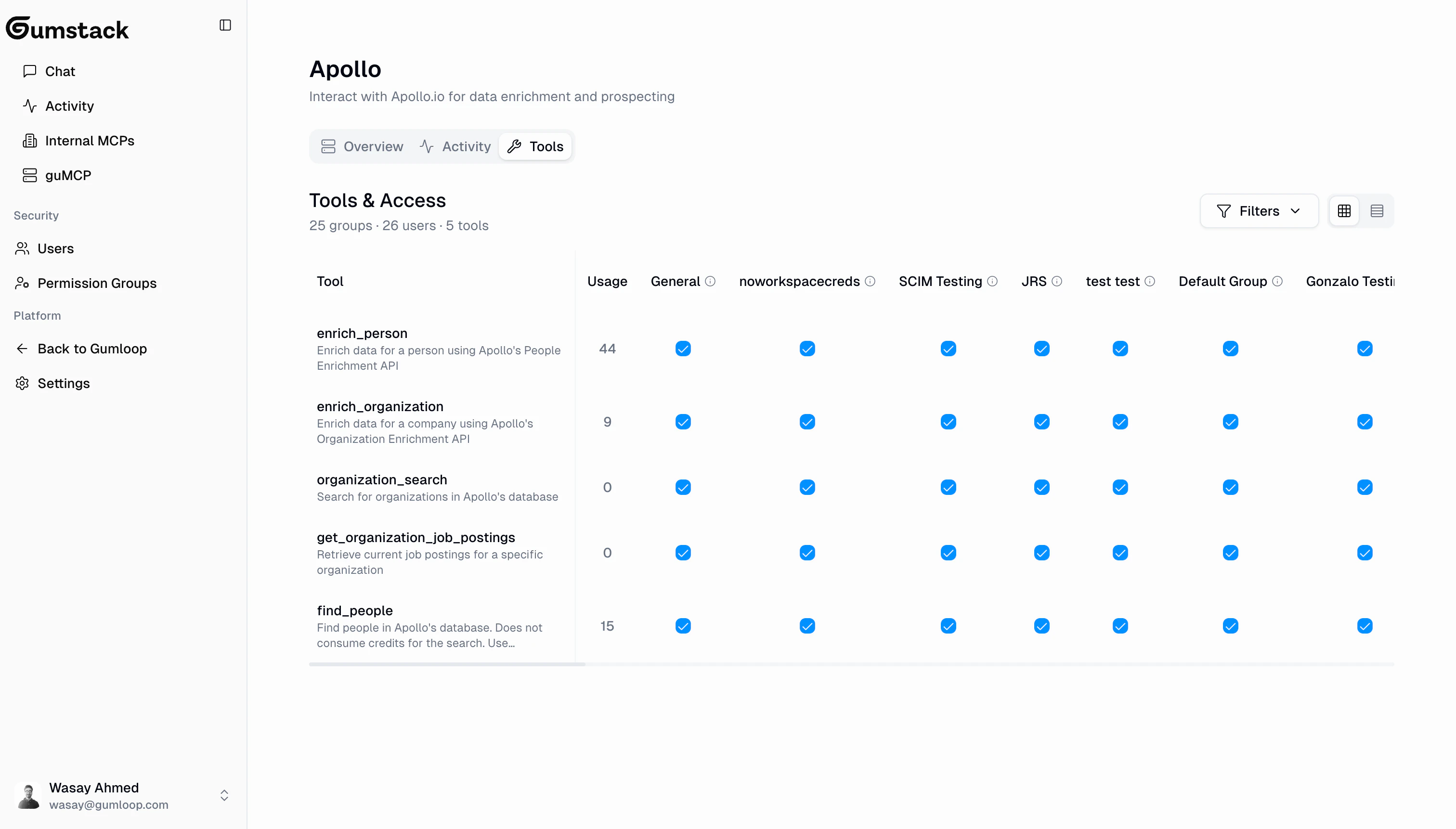 The matrix shows tools as rows with type badges (W = Write, D = Delete, R = Read), permission groups as columns, and checkboxes for toggling access. The header summarizes "X groups, Y users, Z tools".
Find the guMCP server in the list and click to open its detail page.
Click the **Tools & Access** tab to see the permission matrix.
Click checkboxes to enable or disable tool access per group. A floating action bar appears with **Save Changes** and **Discard Changes**. Click Save to apply.
Changes to tool access take effect immediately after saving. New calls from a revoked group will be denied and logged as "Permission Denied" in the [Activity](/platform/activity) dashboard.
## guMCP vs Internal servers
| Feature | guMCP Servers | Internal Servers |
| ----------------------- | ---------------------------------- | ------------------------------------------------ |
| **Managed by** | Gumloop | Your team |
| **Code required** | No | Yes |
| **Deployment** | Automatic (by Gumloop) | Push-to-deploy via GitHub |
| **Tabs** | Overview, Activity, Tools & Access | Overview, Tools, Activity, Deployments, Settings |
| **Tool access control** | Yes | Yes |
| **Customization** | Tool access only | Full control over code, auth, tools, env vars |
guMCP servers are the fastest way to get started. If you need a custom integration that isn't available, [build your own internal server](/building/quickstart).
## Related docs
Build your own custom MCP servers
Create groups to manage tool access
Monitor tool usage across all servers
Connect servers to Gumloop workflows
The matrix shows tools as rows with type badges (W = Write, D = Delete, R = Read), permission groups as columns, and checkboxes for toggling access. The header summarizes "X groups, Y users, Z tools".
Find the guMCP server in the list and click to open its detail page.
Click the **Tools & Access** tab to see the permission matrix.
Click checkboxes to enable or disable tool access per group. A floating action bar appears with **Save Changes** and **Discard Changes**. Click Save to apply.
Changes to tool access take effect immediately after saving. New calls from a revoked group will be denied and logged as "Permission Denied" in the [Activity](/platform/activity) dashboard.
## guMCP vs Internal servers
| Feature | guMCP Servers | Internal Servers |
| ----------------------- | ---------------------------------- | ------------------------------------------------ |
| **Managed by** | Gumloop | Your team |
| **Code required** | No | Yes |
| **Deployment** | Automatic (by Gumloop) | Push-to-deploy via GitHub |
| **Tabs** | Overview, Activity, Tools & Access | Overview, Tools, Activity, Deployments, Settings |
| **Tool access control** | Yes | Yes |
| **Customization** | Tool access only | Full control over code, auth, tools, env vars |
guMCP servers are the fastest way to get started. If you need a custom integration that isn't available, [build your own internal server](/building/quickstart).
## Related docs
Build your own custom MCP servers
Create groups to manage tool access
Monitor tool usage across all servers
Connect servers to Gumloop workflows